Skyfire › Guides › Comparisons
PC and browser
A game like Clash Royale you can play on PC, in a browser
Clash Royale is a phone game. Skyfire is the same kind of game — small deck, refilling energy, three-minute real-time battles — and it runs in an ordinary browser tab on a PC, a Mac, a Chromebook or a phone.
The problem with playing a phone game on a computer
Clash Royale was built for touchscreens and is distributed as a mobile app. To play it at a desk you need something standing in for the phone: Google's Play Games client on Windows, or an Android emulator. Those work, but each is a program to install and keep updated, they are not available everywhere, and they are generally not an option on a school or work machine.
If what you actually want is that style of game at a desk, it is simpler to play one that was made to run there.
What "runs in a browser" means for Skyfire
- No download. Go to skyfire.planets.nu/play and the game loads. Ship models stream in as they are needed.
- No account to start. Choose "Play without an account" and you get a real commander saved on that device. Sign in later and you keep everything.
- Any current browser. Chrome, Edge or Safari, on Windows, macOS, Linux or ChromeOS. It is a full 3D game, so it needs WebGL, which every current browser has.
- The same game as the apps. Browser, Android and iOS players are on one ladder and fight each other. Sign in and your fleet follows the account from your desk to your phone.
- Mouse or touch. Click a card, click the board. On a touchscreen laptop or a tablet, tap instead.
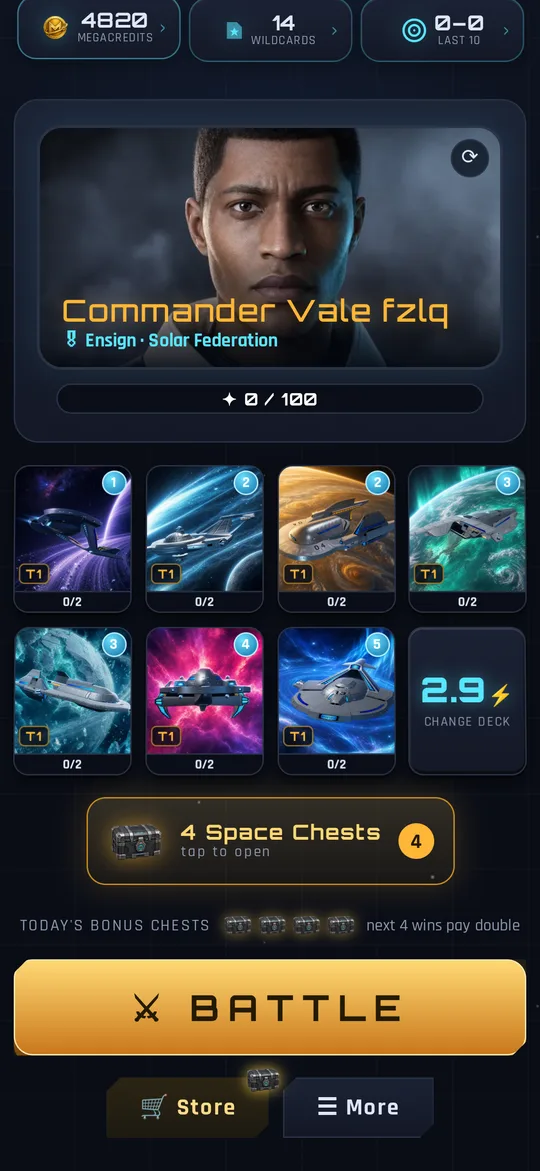
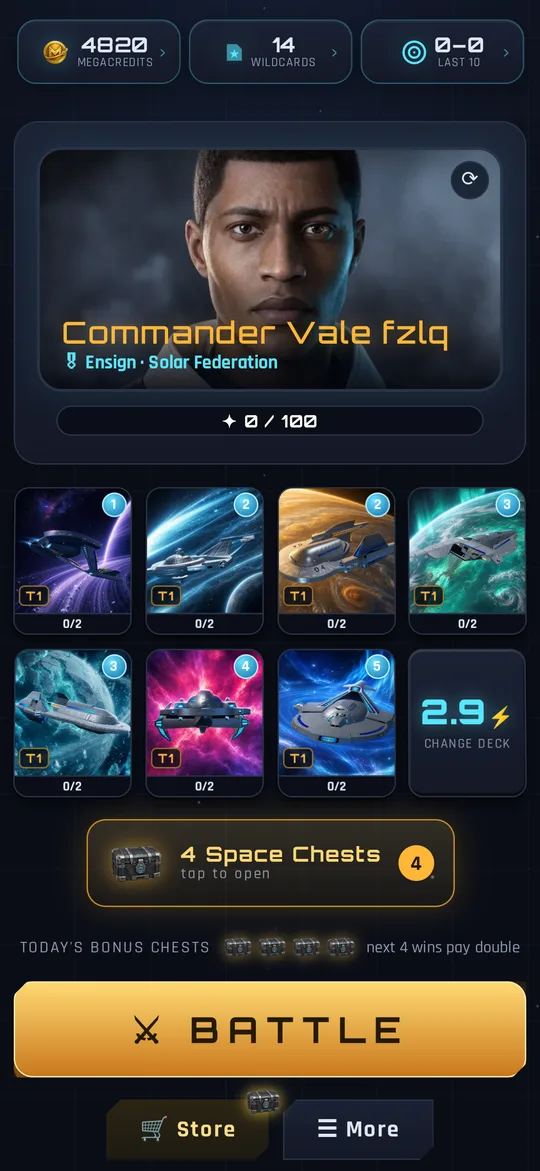
How it plays
You bring a fleet of seven ships. Energy builds up to 10; each card costs some of it. Ships fly down one of two lanes toward the enemy starbase and homeworld, fighting whatever they meet. Destroy the homeworld to win outright, or have destroyed more bases when the three-minute clock runs out. The full rules take five minutes to read.
There are twelve races to command, over 120 ship hulls to collect, ranked 1v1, 2v2 with a friend, and a practice simulator against the computer when you want to try a deck without your rank on the line.
Other options on a computer
To be complete, these are the other routes to this genre at a desk:
| Option | What it is | Install needed |
|---|---|---|
| Skyfire | Real-time card battler in a browser tab | None |
| Minion Masters | Real-time card battler built for PC and console | Yes, a PC game client |
| Clash Royale via Google Play Games | The mobile game running on Windows | Yes, Google's client |
| Clash Royale via an Android emulator | The mobile game inside a virtual phone | Yes, an emulator |
Be careful with sites that claim to offer "Clash Royale unblocked" or a browser version of it. Supercell does not publish one. Those pages are unofficial, and you should not sign in to a game account through them.
Is it a good fit for a quick break?
Yes, and that is most of the point. A battle is over in three to five minutes, there is nothing to launch beyond a tab, and closing the tab mid-queue costs you nothing. If your connection drops during a battle, the game holds your seat and puts you back in when you return rather than counting it as a forfeit.
Questions people ask
Is there an official Clash Royale browser version?
No. Clash Royale is distributed as a mobile app. On a Windows PC it can be run through Google Play Games or an Android emulator, both of which have to be installed.
Does Skyfire work on a Chromebook?
Yes. It runs in the Chrome browser with nothing to install.
Is the browser version of Skyfire the full game?
Yes. It is the same game, the same ladder and the same account as the Android and iOS apps. Nothing is held back for the apps.
Do I need a powerful PC?
No. Skyfire was built to run on phones, so any computer from the last several years with a current browser will run it.